The OneStream Community is temporarily frozen until June 29th due to the ongoing maintenance. Please read the blog post here to learn more.
Forum Discussion

Marcello
3 years agoContributor
Security on Onestream Reports
Hi all,
has anybody ever developed reports that connect directly to the SQL database?
Do you know how security is applied? Is there an intelligent filter on the Onestream application security lay...

Cosimo
3 years agoContributor II
Hi Marchello,
Since you're querying application tables directly, you will need to build the security layer within your query. I'm not sure what drives user security on your end (could be by entity or by workflow or both).
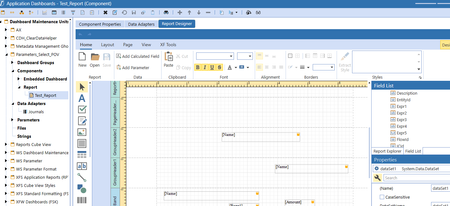
The first thing I would do is have the data adapter for the report point to a helper query BR so that you can control what's being generated in the resulting data table. Knowing the user that is running the report (i.e. si.UserName), we can figure out what workflows or entities the user has access to. This info is then used in your SQL to filter records.
I'm assuming that you're looking to join JournalHeader with JournalLineItem? If so, I would filter off of the EntityId field in JournalLineItem table as followed (all summarized but details can be provided):
1) Using si.UserName, generate a list of entities that the user has access to. The list would be entity member IDs and not entity names.
2) From the entity member Id list, generate a comma-delimited string. example: "980001, 980027, etc."
3) In your SQL, include in the Where clause a filter for EntityId. example: WHERE EntityId IN (980001, 980027, etc.)
Makes sense?
Related Content
- 1 year ago
- 4 months ago