The OneStream Community is temporarily frozen until June 29th due to the ongoing maintenance. Please read the blog post here to learn more.
Forum Discussion

RobbSalzmann
3 years agoValued Contributor II
SQL Table Editor Unable to Save Data
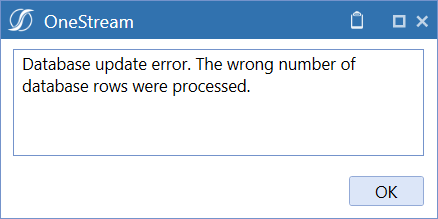
OS Version 7.4.2 I have a SQL Table Editor in a dashboard. Three columns: Date, Amount, Descr. The user can edit Amount and Descr. No Inserts, no deletes. The table loads with a bunch of dates. ...
 3 years ago
That is interesting. It should do what you are doing as a SQL already unless somehow the keys are messed up, and SQLTableEditor is sending queries to update multiple records.
- 3 years ago
Yep, I added a PK column and the STE cooperates. Professionally I have some thoughts about this, but I'll leave it as solved and kudo you the solution for giving me the idea and the time you spent sharing your thoughts! Cheers.

NicolasArgente
3 years agoValued Contributor
Hi RobbSalzmann !
Could you show us your raw table? And also a printscreen of your SQL Editor dashboard page?
If I were you, I would look in the RPTA solution (Application Reports) - I am pretty sure it is installed already on your server. You might find there a Dashboard under 0_Settings_RPTAT and there is an SQL editor with it. Have a look at this code!
Cheers

RobbSalzmann
3 years agoValued Contributor II
Thanks, NicolasArgente
The table is as described above: 3 columns, Date, Amount, Description. Amount and Description can be null. Dates are already filled in. The user adds amounts where needed.
I have several STE components in use. They all have to be parsed in a rule - it usually takes days to find the magic combination of things to get them to work - UGH. I've never been able to simply use an STE to edit a table. I wonder what I'm missing here?
Here is my configuration:
Related Content
- 2 months ago