The OneStream Community is temporarily frozen until June 29th due to the ongoing maintenance. Please read the blog post here to learn more.
Forum Discussion

OSAdmin OneStream Employee
6 years agoOneStream EmployeeMatrix load using a Connector DataSource
Originally posted by Cosimo Palmisano 4/26/2019
Matrix load using a Connector DataSource I'm trying to setup a data source for matrix loading using a connector data source / query which returns ...

OSAdminOneStream Employee
6 years agoOneStream Employee Originally posted by Puja Patel
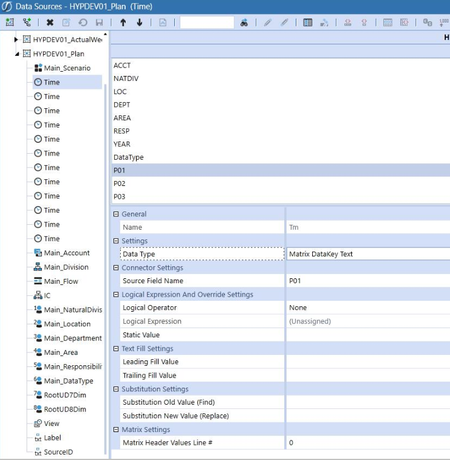
If you put in the time period value in the 'Static Value' setting under Logical Expression and Override Settings, the system will know which time to use (e.g. 2020M1 for Period 1). If you want to make it dynamic to use year over year, change your Logical Operator to 'Complex Expression' and use the following:
Dim sYear As String = TimeDimHelper.GetYearFromId(api.WorkflowUnitPk.TimeKey).ToString
Return sYear & "M1"
where you change Mx to the period for each of your Time Source Dimensions.
Related Content
- 9 months ago
- 4 years ago
- 2 years ago