The OneStream Community is temporarily frozen until June 29th due to the ongoing maintenance. Please read the blog post here to learn more.
solutions
11 Topics
How to set up Parcel Services - Batch reporting
Do you have many users that you want to send information? And is this information based on data that is available in OneStream, for instance a periodic internal financial statement? Use Parcel Services to automatically distribute books and documents from OneStream. Parcel Services enables you to create packages (groups) that can be shipped to email lists or a file share. This can be done via a dashboard button, or fully automated using PowerShell scripting.15KViews2likes32CommentsHow to set up Predictive Analytics?
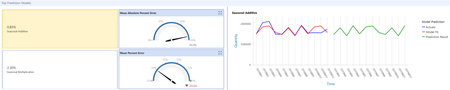
The latest release in the OneStream Market Place is one that we have been looking forward to since the sneak preview at Splash last year: a Predictive Analytics Market Place solution. This solution allows you to use your EPM data to model a forecast. And, even for a first release, it’s filled with options and competitive against other available solutions.4.2KViews1like5CommentsThe 7 must haves in the OneStream Market Place
The OneStream Market Place contains many solutions, making the platform a good match for almost everyone. A broad range of business goals and requirements can be achieved with these solutions, which is great. However, so much choice can be a little overwhelming as well. How do you pick the right ones? Which solutions help you make the most of your OneStream platform? We share the 7 solutions in the Market Place you shouldn’t miss.3.3KViews8likes2CommentsA Review of Selected Admin Solutions in OneStream
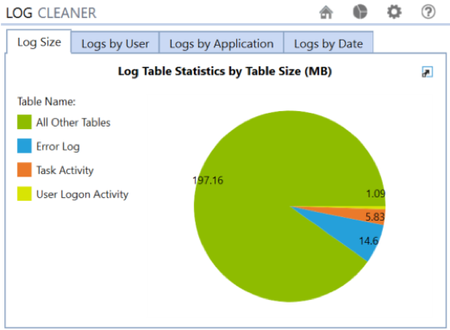
OneStream is a platform that has many functionalities. How do you get the most out of these functionalities? Managing such a platform requires – besides technical skills – a lot of knowledge about the setup of the system. The OneStream MarketPlace provides a number of solutions that can make your life as a OneStream Administrator better. In this blog, we will discuss some of the best MarketPlace admin solutions currently available. Which solutions should every OneStream system administrator use? And why?2.2KViews3likes0CommentsHow to train end users in OneStream using Train Me?
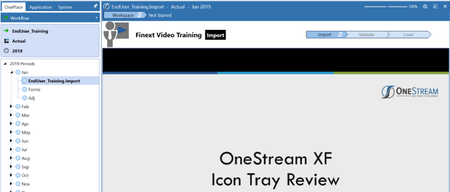
OneStream has many great functionalities for your end users. And as a OneStream customer or partner, there is much information available to teach you how the system operates. But how do you train your end users? Preferably in a way that is user friendly and not too time consuming, both for you and the end user? The MarketPlace has two solutions, which combined will provide your end users with a range of training videos. How can you use these apps to train your end users?2.6KViews15likes0CommentsHow to Set up and use Task Manager
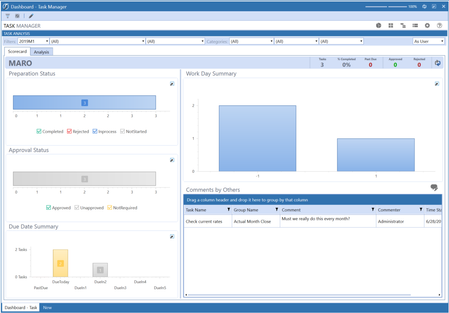
One of the most popular Market Place solutions is the Task Manager (UTM). Why is this solution so popular? And how does it help you to get more out of your OneStream software? In a series of blogs, we delve into the details of Market Place solutions. This time, we take a closer look at UTM. Can it live up to its fame?4.6KViews4likes0CommentsHow to use Scenario Analysis 123 ?
Looking for a Scenario Analysis solution? OneStream has recently released a new solution in its Market Place: Scenario Analysis 123. This solution helps you to create and manage multiple rules and to execute calculation jobs across different scenarios. Scenario Analysis 123 includes built-in reporting capabilities to compare results and analyze variances across scenarios. As an increasing number of organizations are interested in applying scenario analyses, we’ve investigated it thoroughly. How do you implement it, and what are the benefits of Scenario Analysis 123?2.4KViews4likes0Comments