Recent Discussions

I want to Validate that the Data is cleared and validate the calculate
Hi all - We have a Labor Allocation Process that runs manually which we have seen some silent failures occur through our Api Calculate or Api Clear data. I am attempting to go through our business rules and add more complex logging to get a better understanding where/when these things occur. Lets say I had this code block.. Dim sourceDims As String = "U2#None:U3#None:O#Import:I#None:F#None:V#Periodic:C#USD" Dim destinationDims As String = "U2#None:U3#None:O#Import:I#None:F#None:V#Periodic:C#USD" If args.CustomCalculateArgs.FunctionName.XFEqualsIgnoreCase("Copy3rdPartyImportData") Then 'Only run for the Base Entities and local currency If (Not api.Entity.HasChildren()) And (api.Cons.IsLocalCurrencyForEntity()) 'Get the current scenario Name Dim curScenarioName As String = api.Pov.Scenario.Name If curScenarioName = "Rpt_Mar" Then 'Clear previously calculated data api.Data.ClearCalculatedData(True, True, True, True,"A#3PFB_Capital","O#Import","I#None","V#Periodic","C#USD") api.Data.ClearCalculatedData(True, True, True, True,"A#3PFB_Expense","O#Import","I#None","V#Periodic","C#USD") api.Data.ClearCalculatedData(True, True, True, True,"A#Travel_Capital","O#Import","I#None","V#Periodic","C#USD") api.Data.ClearCalculatedData(True, True, True, True,"A#Travel_Expense","O#Import","I#None","V#Periodic","C#USD") 'Seed Current Scenario with previous imported 3rd party data api.Data.Calculate("S#" & curScenarioName & ":A#3PFB_Capital:" & destinationDims & " = RemoveZeros(S#Rpt_Feb:A#3PFB_Capital:" & sourceDims & ")",True) api.Data.Calculate("S#" & curScenarioName & ":A#3PFB_Expense:" & destinationDims & " = RemoveZeros(S#Rpt_Feb:A#3PFB_Expense:" & sourceDims & ")",True) api.Data.Calculate("S#" & curScenarioName & ":A#Travel_Capital:" & destinationDims & " = RemoveZeros(S#Rpt_Feb:A#Travel_Capital:" & sourceDims & ")",True) api.Data.Calculate("S#" & curScenarioName & ":A#Travel_Expense:" & destinationDims & " = RemoveZeros(S#Rpt_Feb:A#Travel_Expense:" & sourceDims & ")",True) I have tried: Dim srcCap As Decimal = api.Data.GetDataCell("S#Rpt_Nov:A#3PFB_Capital:U1#TotUD1:U2#None:U3#None:U4#TotUD4:U5#None:U6#None:U7#None:U8#None:O#Import:I#None:F#None:V#Periodic:C#USD:E#CHN000").CellAmount BRApi.ErrorLog.LogMessage(si, "SOURCE 3PFB_Capital=" & srcCap.ToString("N2")) Which results in 0. api.Data.Calculate(formula1, True) Dim verify1 As Decimal = api.Data.GetDataCell("S#Rpt_Dec:A#3PFB_Capital:U1#TotUD1:U2#None:U3#None:U4#TotUD4:...E#" & api.Pov.Entity.Name).CellAmount BRApi.ErrorLog.LogMessage(si, "DEST read-back=" & verify1.ToString("N2")) same with something like this.
Design Approach for Actual and Budget Consolidation Using FSK
Hi OS Community, I’m an EPM Consultant working mainly on Financial Consolidation, and I would appreciate some guidance on a scenario‑specific consolidation design question. Currently, our Actuals consolidation process is working correctly and uses the standard XFW_FSK_Accounts lookup table to drive account mapping during consolidation. This includes full account‑level detail, which is required for statutory reporting and analysis. Now we need to enable consolidation for the Budget scenario, the rules for Budget should be the same as Actual , but with a different level of granularity: The Budget scenario is loaded at a higher‑level Account hierarchy Main Question What is the recommended way to use a different account mapping lookup table for Budget while keeping the existing XFW_FSK_Accounts logic for Actuals? More specifically: Can we assign or reference a different account lookup table (e.g. XFW_FSK_Accounts_Budget) within the consolidation Business Rules, based on the Scenario? Is it best practice to: Use Scenario‑driven logic inside the consolidation BRs to switch lookup tables? Or create separate consolidation rules for Actual vs Budget? Are there any framework‑supported patterns for handling multi‑scenario account mappings where hierarchies differ? If anyone has implemented a similar approach or can point to best practices / documentation, your insights would be greatly appreciated. Thanks in advance for your help! Best regards, CarolinaCarolina_mgm6 days agoNew Contributor43Views2likes0Comments
Orders calculation formula using Backlog and Sales Accounts
Hello, I'm attempting to create an orders (500055) account, calculated using existing Backlog (500054) and Sales (100020) Accounts. (Current Month Backlog - Prior Month Backlog + Current Month Sales) When I run this calculation in the forecast scenario, February - December work as expected, but there is an issue with January that I can't pinpoint. Any ideas where I've gone wrong? Thank you in advance, Justin Trad If ((Not api.Entity.HasChildren()) And (api.Cons.IsLocalCurrencyForEntity)) And api.Time.GetPeriodNumFromId(api.Pov.Time.MemberID) = 1 Then api.data.calculate("A#500055:T#PovYearM1:O#import:U1#none:U2#none:U5#none:U6#none = (A#500054:T#PovYearM1:O#top:U1#top:U2#top:U5#top:U6#top - A#500054:T#PovPriorYearM12:O#top:U1#top:U2#top:U5#top:U6#top) + A#100020:T#PovYearM1:O#top:U1#top:U2#top:U5#top:U6#top") Else If ((Not api.Entity.HasChildren()) And (api.Cons.IsLocalCurrencyForEntity)) Then api.data.calculate("A#500055:T#Pov:O#import:U1#none:U2#none:U5#none:U6#none = (A#500054:T#Pov:O#top:U1#top:U2#top:U5#top:U6#top - A#500054:T#PovPrior1:O#top:U1#top:U2#top:U5#top:U6#top) + A#100020:T#Pov:O#top:U1#top:U2#top:U5#top:U6#top") End IfJustin_Zurn8 days agoNew Contributor66Views0likes2Comments
TableView Insert Limit
I am working with a TableView and there seems to be a limit of 100 rows that can be added. Even if I prompt for the number of rows to add , say for example 150, when I add 150 rows in Excel and submit only 100 will actually be inserted. Does anyone know if there is a limit to the number of rows that will actually be added no matter the value you pass to the NumberOfEmptyRowsToAdd property?SolvedSweez11 days agoContributor124Views0likes2Comments
How to round the result of a calculation?
Hi everyone, I would like to round the value for a calculation, I try wit this api.Data.Calculate("A#P_EBPPrct:O#Import:U1#D0000:U2#P0000:U3#CORP_ADJ:U4#PJ00000 = Round(Divide(A#433100, A#411000:E#" & strEntTx3 & ":C#Local:O#Top:U1#ALL_DEPARTMENTS:U2#PROMO:U3#CORP_RPT:U4#ALL_PROJECTS))") or this api.Data.Calculate("A#P_EBPPrct:O#Import:U1#D0000:U2#P0000:U3#CORP_ADJ:U4#PJ00000 = Divide(A#433100, A#411000:E#" & strEntTx3 & ":C#Local:O#Top:U1#ALL_DEPARTMENTS:U2#PROMO:U3#CORP_RPT:U4#ALL_PROJECTS)",AddressOf OnEvalDataBuffer) Private Sub OnEvalDataBuffer(ByVal api As FinanceRulesApi, ByVal evalName As String, ByVal eventArgs As EvalDataBufferEventArgs) Dim resultCells As New Dictionary(Of DataBufferCellPk, DataBufferCell) For Each sourceCell As DataBufferCell In eventArgs.DataBuffer1.DataBufferCells.Values sourceCell.CellAmount = math.round(sourceCell.CellAmount) Next eventArgs.DataBufferResult.DataBufferCells = eventArgs.DataBuffer1.DataBufferCells End Sub but didn't work, so, OS have a way to round values in a calculation?Marco12 days agoContributor II63Views0likes2Comments
Get member description in user's culture code
Does anyone know how to get the member description in the user's culture code?SolvedMarcusH14 days agoValued Contributor7.4KViews0likes20CommentsSystems Diagnostics - Database Sizes math?
Does anyone know how Used (GB) and Unused is derived? Maybe I'm wrong, going to assume it's looking at total_size, total_used, reserved_pages, ect.. Trying to figure out the math, and questioning if it's correct. This is what I have so far, any feedback is appreciated! Dim sql As String = "SELECT " & " DB_NAME() AS DatabaseName, " & " CAST(f.total_size * 8.0 / 1048576 AS DECIMAL(10,2)) AS TotalSizeGB, " & " CAST(f.total_used * 8.0 / 1048576 AS DECIMAL(10,2)) AS UsedByFilesGB, " & " CAST((f.total_size - f.total_used) " & " * 8.0 / 1048576 AS DECIMAL(10,2)) AS UnallocatedGB, " & " CAST(s.reserved_pages * 8.0 / 1048576 AS DECIMAL(10,2)) AS ReservedGB, " & " CAST(s.data_pages * 8.0 / 1048576 AS DECIMAL(10,2)) AS DataGB, " & " CAST(s.index_pages * 8.0 / 1048576 AS DECIMAL(10,2)) AS IndexSizeGB, " & " CAST((s.reserved_pages - s.data_pages - s.index_pages) " & " * 8.0 / 1048576 AS DECIMAL(10,2)) AS UnusedGB " & "FROM ( " & " SELECT " & " SUM(size) AS total_size, " & " SUM(FILEPROPERTY(name, 'SpaceUsed')) AS total_used " & " FROM sys.database_files " & ") f " & "CROSS JOIN ( " & " SELECT " & " SUM(a.total_pages) AS reserved_pages, " & " SUM(CASE WHEN p.index_id IN (0,1) " & " THEN a.used_pages " & " ELSE 0 END) AS data_pages, " & " SUM(CASE WHEN p.index_id > 1 " & " THEN a.used_pages " & " ELSE 0 END) AS index_pages " & " FROM sys.partitions p " & " JOIN sys.allocation_units a " & " ON p.partition_id = a.container_id " & ") s" Here's the output --- Level 1 (Total) --- TotalSize: 1394.27 GB UsedByFiles: 228.51 GB Unallocated: 1165.75 GB (83.6% of Total) LogFile: 1.67 GB (0.1% of Total) --- Level 2 (Reserved) --- Reserved: 226.85 GB (16.3% of Total) UsedGB (Data+Index): 221.60 GB (15.9% of Total) Unused: 5.25 GB (0.4% of Total) --- Level 3 (Used) --- Data: 129.73 GB (9.3% of Total) IndexSize: 91.87 GB (6.6% of Total) --- Math Checks --- Total=Reserved+Unalloc+Log: 1394.27 = 1394.27 → True Reserved=Used+Unused: 226.85 = 226.85 → True Used=Data+Index: 221.60 = 221.60 → TrueSolvedjayaleck16 days agoNew Contributor III54Views0likes1CommentRCM_HelperQueries N/A after upgrade
Hello all, After an OFC upgrade, seeing the following error message trying to pull a time based attribute audit report. Has anyone run into a similar message? In comparing to another version of PROD, the earlier version is written in VB.Net, and the upgrade in C#; making comparison difficult. Unable to execute Business Rule 'RCM_HelperQueries'. Object reference not set to an instance of an object. User Interface Stack Trace: at System.ServiceModel.Channels.ServiceChannel.HandleReply(ProxyOperationRuntime operation, ProxyRpc& rpc) at System.ServiceModel.Channels.ServiceChannel.Call(String action, Boolean oneway, ProxyOperationRuntime operation, Object[] ins, Object[] outs, TimeSpan timeout) at System.ServiceModel.Channels.ServiceChannelProxy.Invoke(MethodInfo targetMethod, Object[] args) at generatedProxy_5.StartGetDashboardDisplayInfoCompressed(SessionInfo, LoadDashboardInfo, Dictionary`2, Dictionary`2) at OneStream.Client.Api.Wcf.DashboardsAjaxServiceReference.DashboardsAjaxServiceClient.StartGetDashboardDisplayInfoCompressed(SessionInfo si, LoadDashboardInfo loadDashboardInfo, Dictionary`2 customSubstVars, Dictionary`2 visibleAndHiddenEmbeddedDashboards) at OneStream.Client.SharedUI.DashboardPageOrDlgHelper.DisplayDashboardAsync(LoadDashboardReasonType loadDashboardReason, IXFDashboardComponentSelectionChangedSettings selectionChangedSettings, Dictionary`2 initialModifiedCustomSubstVarsForSelectionChanged, Boolean drawPrimaryAndAllEmbeddedDashboards, Dictionary`2 dashboardNamesToRedraw, XFSelectionChangedNavigationInfo selectionChangedNavigationInfo, Boolean isReadOnlyRegardlessOfDashboardSettings, OnAfterRequestParametersAndDisplayDashboardAsyncDelegate onAfterDelegate)CLU21 days agoNew Contributor III101Views0likes1Comment
Impact Calc Status
Hi all, I'm using ImpactCalcStatus to impact an entity based on another entity that has the Sibling consolidation pass set to 2. I can see the status changing during processing, but at the end of the consolidation, it remains CA/CN. Only after running it again does the status change to OK. What am I missing here? api.CalcStatus.ImpactCalcStatus(cubeId, Children.MemberId, Parent.MemberId, consId, scenarioId, timeId); Thanks.GParreiras27 days agoContributor36Views0likes0Comments
How can I retrieve the name of the form template using a finance business rule?
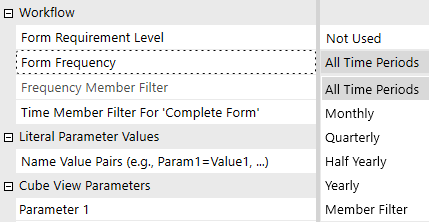
Hello everyone, Thanks to this discussion: https://community.onestreamsoftware.com/discussions/WorkflowDI/forms-by-entity/13417 I can now show or hide the input cube views based on whether or not the group entity has been released, as stored in Entity Text6. However, by doing this, I lose the ability to display cube views only for the quarter, half-year or full year. Currently, I display the cube views every month if the entity is present in the group, so this does not apply to cube views that should be displayed quarterly. I would therefore like to retrieve the name of the form displaying each data entry cube view, so that I can define in the Business Rules whether each form should be displayed monthly, quarterly, half-yearly or only in December. This would allow me to use the settings provided natively by OneStream, which I have previously bypassed. But I am unable to do so. Is this feasible? The ultimate aim is to prevent accidental data entry into workflows that should no longer be populated. I have already removed accountants’ access to the workflow for entities that have left the group, but the central team still has access, and I would like to prevent them from accidentally entering data for periods when the entity has left the group. Thank you for your helpSolvedJérémyRenard30 days agoNew Contributor III73Views0likes3Comments