The OneStream Community is temporarily frozen until June 29th due to the ongoing maintenance. Please read the blog post here to learn more.
Forum Discussion

AndreaF
3 years agoContributor III
Conditional formatting based on the value of other rows and columns
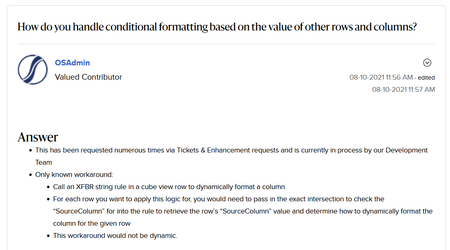
Hi all, does this 2021 OS community post by OneStream still hold true? I would like the cells from the FTE row to be formatted in a certain way (for example set the background to red) when ...
- 3 years ago
Not that I know (although CVs are not exactly my forte). As an alternative idea, you could put the check cells on columns instead, side-by-side with the actual value, basically creating a traffic-light report. You would then probably have to override it for other rows.
If this is on a Dashboard, you might want to look into Pivot Grids, which have some additional (and pretty cool) formatting options, including calculated fields.


tsequeira
3 years agoNew Contributor II
Hi!
In the Cell format, on rows formatting settings, you can define for example:
If (CellAmount <> 0) Then
BackgroundColor = red
End If
 AndreaF3 years agoContributor III
The code you posted checks the value of the cell itself. What I am looking for is formatting based on the value from a different cell (different row to be precise)
 Manjunathak2 years agoNew Contributor III
Hi there!
i would like to compare actual vs budget value. can you suggest how can i do?
thanks