Forum Discussion

jordielane
3 years agoNew Contributor III
Cube View Formatting
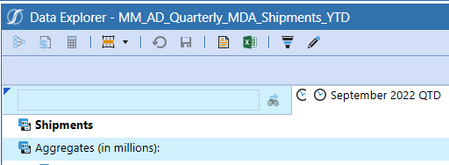
Does anyone know how to format the object lookup cell in the cubeview? We currently have formatting on the cube view as follows.
If(IsRowNumberEven = True) Then
BackgroundColor = #FFFFFFFF...
- 3 years ago
BackgroundColor = #FFFFFFFF
if RowName <> '' then

	If(IsRowNumberEven = True) then
	   BackgroundColor = #FFFFFFFF,
	   ExcelBackgroundColor = #FFFFFFFF,
	Else
	   BackgroundColor = #FFCFF0FC,
	   ExcelBackgroundColor = #FFCFF0FC,
	End If

	If (RowName contains 'NoZebra') or (IsColHeader = true) then
	   BackgroundColor = #FFFFFFFF,
	   ExcelBackgroundColor = #FFFFFFFF,
	end if

end if


NicolasArgente
3 years agoValued Contributor
Hey!
You can not change that. Onestream considers that the first row is actually the header. That means that odd are always the line with the headers.
Do you think you could use IsRowNumberEven = True instead?

jordielane
3 years agoNew Contributor III
Yes, we have it switched in other reports but in a few of our reports we need the first row of data to be white so all the odd rows need to be blue. I was hoping there was a way to directly reference that cell to format it, but it seems there isn't.
Related Content
- 2 years ago
- 3 years ago
- 2 years ago
- 2 years ago
- 3 years ago