The OneStream Community is temporarily frozen until June 29th due to the ongoing maintenance. Please read the blog post here to learn more.
Forum Discussion

Bella_Yu
1 year agoNew Contributor III
Retrieve member property in SQL
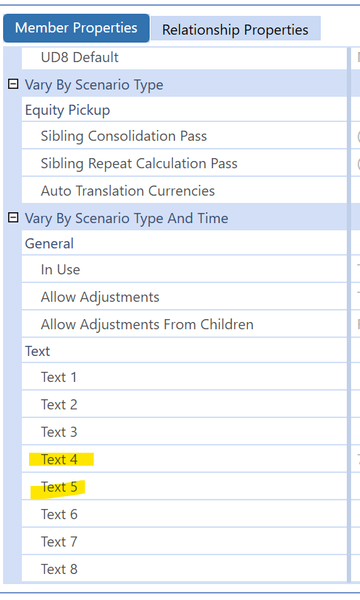
In Application tab > Dimensions > Entity Dimensions > Member Properties, I have something configured in Text 4 and Text 5 field in Vary By Scenario Type And Time section. The goal is to display thes...

rhankey
1 year agoContributor III
I would word the other response a little more strongly - you should not be accessing any of OS's out of box SQL tables directly. In fact, I can't recall which OS document I have read it, but I am 99% sure OS specifically say NOT to access the out of box tables directly. That is what the OS Api/BRApi is for. And where both are available, always use the OS Api over BRApi. I realize the OS Api is a rather steep learning curve, that may not seem overly palatable for those who come from a SQL background where it is easy to see the underlying data you want to access in simple to understand SQL tables.
To your question, you can embed Dashboard parameters or XFBR rules within Dashboard CommandType=SQL Data Adapters. That works fine for simpler, relatively static SQL statements.
However, if you are constructing more dynamic/complicated SQL statements, in my opinion, you are better off pointing the Data Adapter to a Business Rule, in which you construct and execute the SQL statement, returning a DataSet or DataTable back to the Data Adapter. With this method you have full access to the OS BRApi and .NET libraries, where you can access any OS Metadata information and have more tools than you could ever imagine to construct any SQL statement you would like and to post-process the returning DataTable(s) before passing a DataSet or DataTable back to the Data Adapter.
Related Content
- 3 years ago
- 2 years ago
- 2 years ago