Forum Discussion

Sergey OneStream Employee
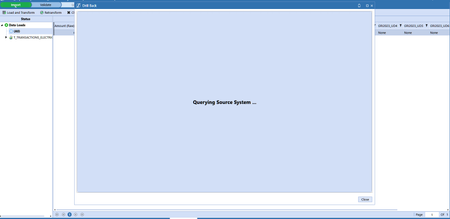
4 years agoOneStream EmployeeDrill Back - Issue with drill to file share, only a message "Querying Source System" appears
Hi ! I am trying to use a Drill Back option in my Data Connector. So far, I get the data from my connector in the staging area, which is great. Now I am trying to open an invoice document, which is...
 4 years ago
Hi Sergey,
If you take a look at the snippet editor (comes with golfstream but also avialable from the marketplace), you can find the Revenue Management example listed under Snippets > SQL Connector > General > Standard SQL Connector. It shows a good example of how to drill back to a file.
It is important to set the display type and document path like so
- Dim drillBackInfo As New DrillBackResultInfo
- drillBackInfo.DisplayType = ConnectorDrillBackDisplayTypes.FileShareFile
- drillBackInfo.DocumentPath = your path
- Return drillBackInfo
Hope this helps,
Jaimie

SergeyOneStream Employee
4 years agoOneStream EmployeeHello Jamie,
I used the Snippet in order to solve this. It was weird because I hard coded the file complete path but it didn't worked, while using a parameter to get the application name somehow solved the issue :
Private Function GetDrillBackDocPath_L1(ByVal si As SessionInfo, ByVal globals As BRGlobals, ByVal api As Transformer, ByVal args As ConnectorArgs) As String
Try

'Get the values for the source row that we are drilling back to
Dim sourceValues As Dictionary(Of String, Object) = api.Parser.GetFieldValuesForSourceDataRow(si, args.RowID)

If (Not sourceValues Is Nothing) And (sourceValues.Count > 0) Then

Return "Applications/" & si.AppToken.AppName & "/DataManagement/ElectricityInvoices/" & sourceValues.Item(StageConstants.MasterDimensionNames.Entity).ToString & "_Electricity_Invoice_2021M12.pdf"
Else
Return String.Empty
End If

Catch ex As Exception
Throw ErrorHandler.LogWrite(si, New XFException(si, ex))
End Try
End Function
Regards,
Related Content
- 2 years ago
- 2 months ago