The OneStream Community is temporarily frozen until June 29th due to the ongoing maintenance. Please read the blog post here to learn more.
Forum Discussion

HRunyon
3 years agoNew Contributor III
Need physical path to file
I am implementing a BR that pulls a file from FTP. The file is encrypted so I need to decrypt it using a third party library. In order to decrypt it, I need to pass in a physical path to the PGP key ...
 3 years ago
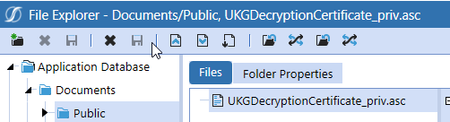
Actually I got it. I was uploading the file to the application DB folder vs. the File Share folder. I was able to get everything to work.
- 2 years ago
Unfortunately, I cannot send you the BR but can provide some sample code for you. Please note that the following two DLL files (provided by purchasing the DidiSoft software) need to be placed into the client integration folder:
- DidiSoft.BouncyCastle.dll
- DidiSoft.Pgp.dll
This can be done by submitting a ticket to OneStream. Once completed, then your BR must reference the DidiSOFT.pgp.dll file.
You will also need the path to the PGP key as well as the PGP key password if applicable.
Place this code in the top of your BR:
Imports DidiSoft.Pgp
Imports DidiSoft.Pgp.Exceptions
Function for decrypting:
Public Function DecryptFile(encryptedFilename As String,si As SessionInfo) As String
Dim pgpKey As String = $\\XXX.file.core.windows.net\onestreamshareprd1\FileShare\Applications\OneStreamDevelopment\Contents\XXXDecryptionCertificate_priv.asc
Dim pgpKeyPassword as String = "PASSWORD"
Dim newName As String = encryptedFilename.Replace(".pgp", "")
Dim clsPGP As PGPLib = New PGPLib()
clsPGP.DecryptFile(encryptedFilename,pgpKey,pgpKeyPassword ,newName)
'Now remove the initial PGP file
System.IO.File.Delete(encryptedFilename)
Return newName
End Function
Hope this helps, and good luck.
HRunyon
3 years agoNew Contributor III
Actually I got it. I was uploading the file to the application DB folder vs. the File Share folder. I was able to get everything to work.
Related Content
- 2 years ago