The OneStream Community is temporarily frozen until June 29th due to the ongoing maintenance. Please read the blog post here to learn more.
Forum Discussion

AndreaF
3 years agoContributor III
Loading CSV containing special characters to an application table
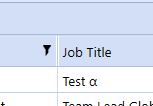
Hi all, I have a dashboard with an SQL table editor component. Through the component in the dashboard, I can save text to the table, including special characters. For example, there is no problem in ...
- 3 years ago
Thank you. As I suspected, it's an encoding issue. The file is UTF-8, whereas OneStream largely reasons in UTF-16 (traditional default in Windows/.Net world). There are two ways to fix this, as far as I can see:
- just convert the file to UTF-16 before uploading it, for example with Notepad++, or
- turn the file bytes back to string and then from there to UTF-16 bytes using https://learn.microsoft.com/en-us/dotnet/standard/base-types/character-encoding.
Here's some (untested) code that should send you in the right direction:
' at the top
Imports System.Text

[...]

' get the encodings we need
Dim utf8 As Encoding = encoding.UTF8
Dim utf16 As Encoding = Encoding.Unicode
' turn original bytes into String ...
Dim text As String = utf8.GetString(fileinfo.XFFile.ContentFileBytes)
' ... and from there to UTF16 bytes
Dim toUpload As Byte() = utf16.GetBytes(text)
' upload utf16 bytes
BRApi.Utilities.LoadCustomTableUsingDelimitedFile(si, _
	SourceDataOriginTypes.FromFileUpload, filePath, _
	toUpload, _
	"|", "App", "LOAD_TABLE", "Merge", lfieldtokens, True)

AndreaF
3 years agoContributor III
Hi, I have uploaded the test file to WeTransfer. Let me know if I should share it via a different method. Thank you
https://we.tl/t-JkyUIrFQpq

JackLacava OneStream Employee
3 years agoOneStream EmployeeThank you. As I suspected, it's an encoding issue. The file is UTF-8, whereas OneStream largely reasons in UTF-16 (traditional default in Windows/.Net world). There are two ways to fix this, as far as I can see:
- just convert the file to UTF-16 before uploading it, for example with Notepad++, or
- turn the file bytes back to string and then from there to UTF-16 bytes using https://learn.microsoft.com/en-us/dotnet/standard/base-types/character-encoding.
Here's some (untested) code that should send you in the right direction:
' at the top
Imports System.Text

[...]

' get the encodings we need
Dim utf8 As Encoding = encoding.UTF8
Dim utf16 As Encoding = Encoding.Unicode
' turn original bytes into String ...
Dim text As String = utf8.GetString(fileinfo.XFFile.ContentFileBytes)
' ... and from there to UTF16 bytes
Dim toUpload As Byte() = utf16.GetBytes(text)
' upload utf16 bytes
BRApi.Utilities.LoadCustomTableUsingDelimitedFile(si, _
	SourceDataOriginTypes.FromFileUpload, filePath, _
	toUpload, _
	"|", "App", "LOAD_TABLE", "Merge", lfieldtokens, True)
Related Content
- 3 years ago
- 2 years ago
- 4 years ago