
NickKroppe OneStream Employee
OneStream EmployeeSolution to Update Task Scheduler Start Times to Account for Daylight Savings
 OneStream Employee
 OneStream Employee
Hi Denise, thank you for testing. I would not execute this in PROD then. We will look into this and see if there is a better solution to retain the correct calendar view and have the task execute at the desired time.
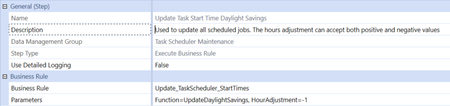
OneStream EmployeeI don't believe IIS is the answer. That resets daily anyway. I think what is needed is to change the "Start Date" (not the time) in the task scheduler item so that it retains the correct time in the calendar view, and also executes at the desired time based on the time change for the date. I think the best solution for this would be to have the data management solution change the start date for all tasks to the date of when the next time the job will run. This will result in the start date changing to a date that is after the daylight savings change which I expect will resolve the issue. You would ideally want to run this the day before daylight savings or the business day after daylight savings to ensure the start date is changed to a date that is post daylight savings. Try reloading the zip file in my original post to upload the latest version and see if that provides the desired results.
OneStream EmployeeI was able to work with Jack to attach the latest solution in my original post, but here is the new code block that handles the daylights savings logic if anyone would like to review.
Public Sub UpdateDaylightSavings(ByVal si As SessionInfo, ByVal globals As BRGlobals, ByVal api As Object, ByVal args As ExtenderArgs)
			Try

				Using dbConnFW As DBConnInfo = BRApi.Database.CreateFrameworkDbConnInfo(si)
					Using dbConnApp As DBConnInfo = BRApi.Database.CreateApplicationDbConnInfo(si)
						' Get a list of schedules
						' Function GetScheduledJobs(dbConnFW As DbConnInfo,dbConnApp As DbConnInfo, getItemsForCurrentUserOnly As Boolean) As List(Of DataMgmtScheduleItem)
						Dim dmSchedItem As List(Of DataMgmtScheduleItemEx)  = DataMgmtScheduleWcf.GetScheduledJobs(dbConnFW,dbConnApp,False)
						For Each schedJob As DataMgmtScheduleItemEx In dmSchedItem
							'adjust the start time based on what the user defines
							schedJob.DataMgmtScheduleItem.StartTime = schedJob.NextRunTime
							' Function SaveScheduledJob(dbConnFW As DbConnInfo,dbConnApp As DbConnInfo,isNew As TriStateBool)
							DataMgmtScheduleWcf.SaveScheduledJob(dbConnFW,dbConnApp,schedJob.DataMgmtScheduleItem,TriStateBool.FalseValue)
						Next
					End Using
				End Using
				Catch ex As Exception
				Throw ErrorHandler.LogWrite(si, New XFException(si, ex))
			End Try
		End Sub