The OneStream Community is temporarily frozen until June 29th due to the ongoing maintenance. Please read the blog post here to learn more.
Forum Discussion

CAIGuySeanF
3 years agoContributor
Unable to execute formula for member "xxx'. Value was either too large or too small for a Decimal.
Hello,
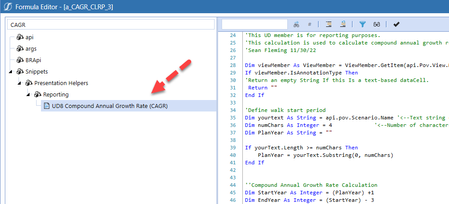
I'm attempting to leverage the UD8 Compound Annual Growth Rate (CAGR) business rule as a dynamic calculation.
The formula works great on most intersections, but I keep getting this err...

JackLacava OneStream Employee
3 years agoOneStream EmployeeFrom documents, I believe http://msdn.microsoft.com/en-us/library/system.decimal.aspx values can exist between +79,228,162,514,264,337,593,543,950,335 and -79,228,162,514,264,337,593,543,950,335. If your number falls outside this range, at any point in the calculation, you'll get that error. You can probably break that range even if the number is technically inside the range but having a large amount of decimals.
 CAIGuySeanF3 years agoContributor
I assumed it could be range driven, but in the example above, I don't ever come close to falling outside this range?
- DanielWillis3 years agoValued Contributor
I think like Jack hinted, it is the amount/size of numbers after the decimal place (i'm sure there is a better term for that.. precision?).
CellAmount accepts a decimal so falls over when you try to send the value there.
I wonder if you could (if its acceptable) store the value in a double and then round it and send it to CellAmount?
So
Dim DoubleCellAmount = CAGRCalc.Cellamount ^ ExponCAGR - 1
CAGRCalc.CellAmount = Math.Round(DoubleCellAmount,X)
where X is some value that is acceptable to you
 Henning3 years ago
Hi, did you try converting your decimal to a string and logging this in the error log to see what might be the issue here?
- CAIGuySeanF3 years agoContributor
excuse the ignorance on my part, but not sure how to do that?

Related Content
- 3 years ago
- 9 months ago
- 2 years ago
- 1 year ago