Recent Blogs
Course Announcement: Applying Dashboard Rules: Concepts and Use Cases
1 MIN READ Course Description: Using Business Rules for dashboards within workspaces, centralizes and reuses logic across the OneStream platform, enabling calculations, validations, and processes without duplicating logic. This module focuses on Business Rules, how they are used within dashboards, and how they work with workspaces, and other OneStream platform components. Delivery Types: On-Demand (OD) Duration: 2 hours, 30 minutes Availability: NAVIGATOR PASSPORT EXCLUSIVE Course Link: Applying Dashboard Rules: Concepts and Use Cases7Views0likes0CommentsThe New Community Experience Arrives June 8, 2026
3 MIN READ Mark your calendar! The launch date for the new OneStream Community is now set. On Monday, June 8, the OneStream Community will upgrade to a new platform, providing a new experience for all new and existing users. This move will bring new enhancements and an overall better experience to the Community you know and love. When is this happening? The launch will happen on June 8, 2026. Starting the week prior, on June 1, 2026 @ 12:00am CT, the current community will be set to read only mode. This means the Community will be frozen, and members will be unable to post new content, post new comments, or otherwise create anything new on the Community. The freeze will last the entire week from June 1, 2026 to June 5, 2026. Once the upgrade is complete, members will once again be able to post and engage with the community as usual - but on the all-new platform. Keep an eye on the Community blog for notifications of when the launch is complete. Who is impacted by this? Members of the OneStream Community, including Customers, Partners, and OneStream Employees will all experience this launch and enhanced community experience. Customers, Partners, and Employees who do not yet have an account may create one before or after the launch; however, new accounts cannot be created during the read-only freeze period. Where is this happening? The new OneStream Community will remain accessible via the “OneStream Community” button in your OneStream Okta app. Additionally, the new OneStream Community will be housed at a new URL, which will remain largely ungated and visible to Prospects and Guests alike. Details coming soon. Why are we updating the OneStream Community? As we enter a new world of AI and platforms that evolve faster each day, the OneStream Community team is committed to ensuring our users always have access to the best possible experience. We’re investing in cutting‑edge AI capabilities, modern design, and smarter tools—all delivered through a trusted, reliable, and secure platform you can depend on. Our goal is to empower every member of the OneStream Community with technology that enhances connection, accelerates learning, and makes engaging with the community easier and more valuable than ever. Behind the scenes, the OneStream Community team and other customer-focused teams will also gain deeper insights into how members engage with content, conversations, and learning resources. These enhanced analytics—paired with new customization capabilities—will allow us to tailor experiences to each member’s needs and surface more relevant, meaningful content. By understanding what matters most to our users, we can continuously refine the community, deliver more targeted value, and ensure every member feels supported, informed, and connected. What’s next? The OneStream Community team will post notifications when the current community enters read only mode, and again when the new Community is live. Subscribe to the OneStream Community blog today to ensure you receive the latest news and updates from the OneStream Community. Frequently Asked Questions Can I still login to the Community? You can login and use the OneStream Community as usual until June 1. From June 1 through June 5, you will be able to login but you will be unable to interact with the Community until the migration is complete. These interactions include posting new content, liking / upvoting posts, posting replies, joining groups, etc. Will I need to create a new OneStream Community account? No, your OneStream Community account will transfer to the new platform, which includes your username, email address, activity (posts, likes, etc.) as well as your appropriate role, such as Customer, Partner, or Employee. Users who do not yet have a OneStream Community account but would like to sign up may do so prior to June 1 or anytime after the launch on June 8. What will not transfer over? Your rank, profile picture, subscriptions and personal settings will not transfer. Formerly earned badges that exist on the new platform will transfer to the new platform, but any badges that do not exist on the new platform will not carry over. Note: Badges will be assigned following the launch of the new experience. You will receive notifications when your badges have been published to your profile. What do I need to do? When the new platform launches June 8th, simply login via Okta as usual. That's it! More Questions? Comments? Let us know your thoughts in the comments below!42Views1like0Comments
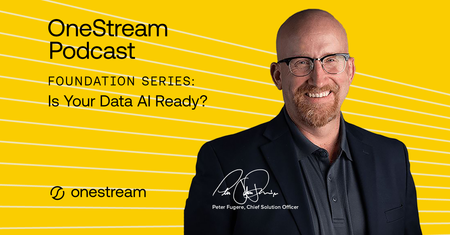
The OneStream Podcast: Foundation Series - Is Your Data AI Ready? available now!
1 MIN READ This episode of The OneStream Podcast is all about AI and your data. Peter Fugere and Om Kapoor discuss how organizations can prepare their data for AI integration, OneStream’s AI solutions for data readiness, governance, and the emerging era of agentic AI.16Views0likes0CommentsCourse Announcement: Organizing C# Code
1 MIN READ Course Description: This OnDemand module is intended for implementors and administrators who are new to coding and/or C# in OneStream. This module introduces methods for organizing code, including comments, regions, and OneStream Function Names. It also reviews common code formatting conventions, such as indentation, braces, and naming conventions. Recognizing how to organize code sections is important for readability, maintenance, and understanding which sections of code run. Delivery Types: On-Demand (OD) Duration: 30 minutes Availability: Customers, Partners, and Employees Course Link: Organizing C# Code39Views0likes0CommentsRegister Now: CPM Express Instructor Led Trainings
2 MIN READ Instructor Led June 2-4, 2026 | Virtual | CET CPM Express (CPMx) IFRS accelerates time to value (TTV) with a completely extensible application, providing best practice design principles, with a flexible starting point, for customers to commence their OneStream journey. This course is designed to provide implementation consultants and system administrators with a detailed view of the CPMx IFRS offering, exploring the pre-built metadata structures, consolidation methods, workflows and forms, along with a number of optional elements that can be configured to enhance applications. Through instructor-led demonstrations and practical hands-on exercises, attendees will examine the key design decisions and steps required to leverage and extend the wide array of preconfigured “out-of-the-box” components. Date: Tue, Jun 2nd 2026 04:00 am – Thu, Jun 4th 2026 11:00 am (UTC-04:00 / EDT) Register Today Instructor Led June 2-4, 2026 | Virtual | EDT CPM Express accelerates time to value (TTV) with a completely extensible application, providing best practice design principles, with a flexible starting point, for customers to commence their OneStream journey. This course is designed to provide implementation consultants and system administrators with a detailed view of the CPM Express offering, exploring the pre-built metadata structures, consolidation methods, workflows and forms, along with a number of optional elements that can be configured to enhance applications. Through instructor-led demonstrations and practical hands-on exercises, attendees will examine the key design decisions and steps required to leverage and extend the wide array of pre-configured “out-of-the-box” components. Date: Tue, Jun 2nd 2026 09:00 am – Thu, Jun 4th 2026 05:00 pm (UTC-04:00 / EDT) Register Today33Views0likes0Comments