Recent Blogs
Close Faster. Build Smarter. Scale with Confidence.
2 MIN READ As OneStream continues to evolve, so does the way you learn, apply, and expand your expertise. Global Education Services (GES) has released a new wave of courses, certifications, technical deep dives, and enablement resources—each designed to help you move faster, make better decisions, and deliver real impact in your organization. Whether you're focused on financial close, reporting, planning, or development, your next step starts here. Explore all learning opportunities in OneStream Community and Navigator. Close Faster and with More Confidence (Finance Teams) Accelerate your close and validate your expertise with targeted certification and reporting training. OneStream Certified Specialist (OCS) – Financial Close exam OCS Financial Close study guide Reports and Dashboards Certification Exam Prep webinar (now free in Navigator) Strengthen your reporting and operational readiness with: OneStream Reporting Tools (free Navigator module) Journal Entry Manager Readiness Toolkit (updated with new video content) Tech Talks: Journal Entry Manager (JEM) Tech Talks: SFTP Data Integration – From WinSCP to SSH.NET Take the next step: Get Certified. Get Recognized. Watch the session Build Better Dashboards and Analyze with Precision (Report Developers & Power Users) Create more flexible, insightful reporting experiences with modern tools and techniques. Working with Dynamic Grids microcourse Tech Talks After Hours: Dynamic Grid Components Tech Talks After Hours: Bringing Data to Life For teams exploring advanced modeling: Line Item Modeling overview video Start building more dynamic and impactful reports in Navigator. Start the course Design Smarter Planning, Workforce, and ESG Solutions Align planning strategies with real-world requirements and expand into emerging areas like ESG. Planning Framework modules (PV910 SV100, PV920 SV100) Workforce Planning with Line Item Modeling For ESG initiatives: ESG Reporting and Planning Readiness Toolkit Using and Managing the ESG Solution (Passport-exclusive module) Empower your planning strategy with guided, practical learning. View course Extend OneStream with Genesis and Custom Development Build scalable, modern solutions with hands-on development training. Genesis Challenge (end-to-end applied learning experience) OneStream Solutions: Using Plug & Play Architecture with Genesis Strengthen core development skills: Building C# Logic – Control Flow, Error Handling, and Methods Tech Talk: C# vs VB.NET Explore advanced architecture and packaging: Genesis Development with the Solution Packaging Kit (SPK) Genesis SPK from Scratch: Part 1 and Part 2 Empower your journey as a OneStream developer. Start the challenge Learn, Explore, and Stay Current Continue building your expertise with structured content and real-world insights. OneStream Press titles: OneStream Fundamentals OneStream Workspaces and Assemblies The OneStream Podcast: Hear directly from OneStream leaders, partners, and experts through recent episodes, including: Partner Spotlight series Solution deep dives CPM Express success stories Author discussions on modern architecture and development Your Learning Journey Starts Here From certification to development, from reporting to ESG, every resource is designed to help you apply what you learn immediately and drive results faster. Engage. Learn. Grow. Explore the latest courses, tools, and insights today in OneStream Community and Navigator.11Views0likes0CommentsCourse Announcement: Applying Dashboard Rules: Concepts and Use Cases
1 MIN READ Course Description: Using Business Rules for dashboards within workspaces, centralizes and reuses logic across the OneStream platform, enabling calculations, validations, and processes without duplicating logic. This module focuses on Business Rules, how they are used within dashboards, and how they work with workspaces, and other OneStream platform components. Delivery Types: On-Demand (OD) Duration: 2 hours, 30 minutes Availability: NAVIGATOR PASSPORT EXCLUSIVE Course Link: Applying Dashboard Rules: Concepts and Use Cases13Views0likes0CommentsThe New Community Experience Arrives June 8, 2026
3 MIN READ Mark your calendar! The launch date for the new OneStream Community is now set. On Monday, June 8, the OneStream Community will upgrade to a new platform, providing a new experience for all new and existing users. This move will bring new enhancements and an overall better experience to the Community you know and love. Why are we updating the OneStream Community? Our goal is to empower every member of the OneStream Community with A PLATFORM that enhances connection, accelerates learning, and makes engaging with the community easier and more valuable than ever. The OneStream Community team is committed to ensuring our users always have access to the best possible experience. We’re investing in cutting edge AI capabilities, modern design, and smarter tools—all delivered through a trusted, reliable, and secure platform you can depend on. ENHANCED analytics—paired with new customization capabilities—will allow us to tailor experiences to each member’s needs and surface more relevant, meaningful content. By understanding what matters most to our users, we can continuously refine the community, deliver more targeted value, and ensure every member feels supported, informed, and connected. When is this happening? The launch will happen on June 8, 2026. Starting the week prior, on June 1, 2026 @ 12:00am CT, the current community will be set to read only mode. This means the Community will be TEMPORARILY FROZEN from June 1, 2026 to June 5, 2026 and members will be unable to post new content, post new comments, or otherwise create anything new on the Community. Once the upgrade is complete, members will once again be able to post and engage with the community as usual - but on the all-new platform. Keep an eye on the Community blog for notifications of when the launch is complete. Who is impacted by this? Members of the OneStream Community, including Customers, Partners, and OneStream Employees will all experience this launch and enhanced community experience. Customers, Partners, and Employees who do not yet have an account may create one before or after the launch; however, new accounts cannot be created during the read-only period. How do I gain access to the new Community? The new OneStream Community will remain accessible via the “OneStream Community” button in your OneStream Okta app. Additionally, the new OneStream Community will be housed at a new URL, which will remain largely ungated and visible to Prospects and Guests alike. Details coming soon. How do I stay informed? The OneStream Community team will post notifications when the current community enters read only mode, and again when the new Community is live. Subscribe to the OneStream Community blog today to ensure you receive the latest news and updates from the OneStream Community. Frequently Asked Questions Can I still login to the Community? You can login and use the OneStream Community as usual until June 1. From June 1 through June 5, you will be able to login but you will be unable to interact with the Community until the migration is complete. These interactions include posting new content, liking / upvoting posts, posting replies, joining groups, etc. Will I need to create a new OneStream Community account? No, your OneStream Community account will transfer to the new platform, which includes your username, email address, activity (posts, likes, etc.) as well as your appropriate role, such as Customer, Partner, or Employee. Users who do not yet have a OneStream Community account but would like to sign up may do so prior to June 1 or anytime after the launch on June 8. What will not transfer over? Your rank, profile picture, subscriptions and personal settings will not transfer. Formerly earned badges that exist on the new platform will transfer to the new platform, but any badges that do not exist on the new platform will not carry over. Note: Badges will be assigned following the launch of the new experience. You will receive notifications when your badges have been published to your profile. What do I need to do? When the new platform launches June 8th, simply login via Okta as usual. That's it! More Questions? Comments? Let us know your thoughts in the comments below!85Views2likes0Comments
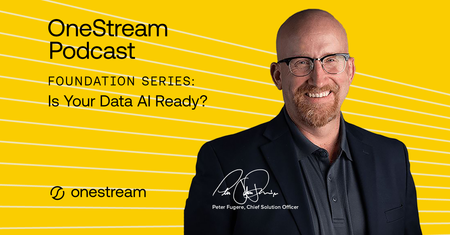
The OneStream Podcast: Foundation Series - Is Your Data AI Ready? available now!
1 MIN READ This episode of The OneStream Podcast is all about AI and your data. Peter Fugere and Om Kapoor discuss how organizations can prepare their data for AI integration, OneStream’s AI solutions for data readiness, governance, and the emerging era of agentic AI.19Views0likes0CommentsCourse Announcement: Organizing C# Code
1 MIN READ Course Description: This OnDemand module is intended for implementors and administrators who are new to coding and/or C# in OneStream. This module introduces methods for organizing code, including comments, regions, and OneStream Function Names. It also reviews common code formatting conventions, such as indentation, braces, and naming conventions. Recognizing how to organize code sections is important for readability, maintenance, and understanding which sections of code run. Delivery Types: On-Demand (OD) Duration: 30 minutes Availability: Customers, Partners, and Employees Course Link: Organizing C# Code40Views0likes0Comments