Databuffer not working in an WS Assembly rule but is working in a Business Rule
Hi, I ran into an issue that a data buffer rule does not work in a workspace assembly but does work in the Business Rules area. The data buffer rule is the one found in this forum topic and is relatively simple. See link. Question: Is there an option to clear non-calculated data in a “bulk” (as known from hs.clear) other than looping through the data buffer and use “SetDataCell” (which has a higher performance impact)? The “ClearCalculatedData“ is not impacting input/imported data – right? | OneStream Community I have this rule in an existing custom calculate rule in the assembly and the rule fails to get the source data buffer. I take this same rule and include it in a new Business Rule and it runs fine. Rules that work in the business rules should work in assemblies also.Solved134Views0likes3Comments
I want to Validate that the Data is cleared and validate the calculate
Hi all - We have a Labor Allocation Process that runs manually which we have seen some silent failures occur through our Api Calculate or Api Clear data. I am attempting to go through our business rules and add more complex logging to get a better understanding where/when these things occur. Lets say I had this code block.. Dim sourceDims As String = "U2#None:U3#None:O#Import:I#None:F#None:V#Periodic:C#USD" Dim destinationDims As String = "U2#None:U3#None:O#Import:I#None:F#None:V#Periodic:C#USD" If args.CustomCalculateArgs.FunctionName.XFEqualsIgnoreCase("Copy3rdPartyImportData") Then 'Only run for the Base Entities and local currency If (Not api.Entity.HasChildren()) And (api.Cons.IsLocalCurrencyForEntity()) 'Get the current scenario Name Dim curScenarioName As String = api.Pov.Scenario.Name If curScenarioName = "Rpt_Mar" Then 'Clear previously calculated data api.Data.ClearCalculatedData(True, True, True, True,"A#3PFB_Capital","O#Import","I#None","V#Periodic","C#USD") api.Data.ClearCalculatedData(True, True, True, True,"A#3PFB_Expense","O#Import","I#None","V#Periodic","C#USD") api.Data.ClearCalculatedData(True, True, True, True,"A#Travel_Capital","O#Import","I#None","V#Periodic","C#USD") api.Data.ClearCalculatedData(True, True, True, True,"A#Travel_Expense","O#Import","I#None","V#Periodic","C#USD") 'Seed Current Scenario with previous imported 3rd party data api.Data.Calculate("S#" & curScenarioName & ":A#3PFB_Capital:" & destinationDims & " = RemoveZeros(S#Rpt_Feb:A#3PFB_Capital:" & sourceDims & ")",True) api.Data.Calculate("S#" & curScenarioName & ":A#3PFB_Expense:" & destinationDims & " = RemoveZeros(S#Rpt_Feb:A#3PFB_Expense:" & sourceDims & ")",True) api.Data.Calculate("S#" & curScenarioName & ":A#Travel_Capital:" & destinationDims & " = RemoveZeros(S#Rpt_Feb:A#Travel_Capital:" & sourceDims & ")",True) api.Data.Calculate("S#" & curScenarioName & ":A#Travel_Expense:" & destinationDims & " = RemoveZeros(S#Rpt_Feb:A#Travel_Expense:" & sourceDims & ")",True) I have tried: Dim srcCap As Decimal = api.Data.GetDataCell("S#Rpt_Nov:A#3PFB_Capital:U1#TotUD1:U2#None:U3#None:U4#TotUD4:U5#None:U6#None:U7#None:U8#None:O#Import:I#None:F#None:V#Periodic:C#USD:E#CHN000").CellAmount BRApi.ErrorLog.LogMessage(si, "SOURCE 3PFB_Capital=" & srcCap.ToString("N2")) Which results in 0. api.Data.Calculate(formula1, True) Dim verify1 As Decimal = api.Data.GetDataCell("S#Rpt_Dec:A#3PFB_Capital:U1#TotUD1:U2#None:U3#None:U4#TotUD4:...E#" & api.Pov.Entity.Name).CellAmount BRApi.ErrorLog.LogMessage(si, "DEST read-back=" & verify1.ToString("N2")) same with something like this.44Views0likes1Comment
Design Approach for Actual and Budget Consolidation Using FSK
Hi OS Community, I’m an EPM Consultant working mainly on Financial Consolidation, and I would appreciate some guidance on a scenario‑specific consolidation design question. Currently, our Actuals consolidation process is working correctly and uses the standard XFW_FSK_Accounts lookup table to drive account mapping during consolidation. This includes full account‑level detail, which is required for statutory reporting and analysis. Now we need to enable consolidation for the Budget scenario, the rules for Budget should be the same as Actual , but with a different level of granularity: The Budget scenario is loaded at a higher‑level Account hierarchy Main Question What is the recommended way to use a different account mapping lookup table for Budget while keeping the existing XFW_FSK_Accounts logic for Actuals? More specifically: Can we assign or reference a different account lookup table (e.g. XFW_FSK_Accounts_Budget) within the consolidation Business Rules, based on the Scenario? Is it best practice to: Use Scenario‑driven logic inside the consolidation BRs to switch lookup tables? Or create separate consolidation rules for Actual vs Budget? Are there any framework‑supported patterns for handling multi‑scenario account mappings where hierarchies differ? If anyone has implemented a similar approach or can point to best practices / documentation, your insights would be greatly appreciated. Thanks in advance for your help! Best regards, Carolina66Views2likes0Comments
Orders calculation formula using Backlog and Sales Accounts
Hello, I'm attempting to create an orders (500055) account, calculated using existing Backlog (500054) and Sales (100020) Accounts. (Current Month Backlog - Prior Month Backlog + Current Month Sales) When I run this calculation in the forecast scenario, February - December work as expected, but there is an issue with January that I can't pinpoint. Any ideas where I've gone wrong? Thank you in advance, Justin Trad If ((Not api.Entity.HasChildren()) And (api.Cons.IsLocalCurrencyForEntity)) And api.Time.GetPeriodNumFromId(api.Pov.Time.MemberID) = 1 Then api.data.calculate("A#500055:T#PovYearM1:O#import:U1#none:U2#none:U5#none:U6#none = (A#500054:T#PovYearM1:O#top:U1#top:U2#top:U5#top:U6#top - A#500054:T#PovPriorYearM12:O#top:U1#top:U2#top:U5#top:U6#top) + A#100020:T#PovYearM1:O#top:U1#top:U2#top:U5#top:U6#top") Else If ((Not api.Entity.HasChildren()) And (api.Cons.IsLocalCurrencyForEntity)) Then api.data.calculate("A#500055:T#Pov:O#import:U1#none:U2#none:U5#none:U6#none = (A#500054:T#Pov:O#top:U1#top:U2#top:U5#top:U6#top - A#500054:T#PovPrior1:O#top:U1#top:U2#top:U5#top:U6#top) + A#100020:T#Pov:O#top:U1#top:U2#top:U5#top:U6#top") End If96Views0likes2Comments
How to round the result of a calculation?
Hi everyone, I would like to round the value for a calculation, I try wit this api.Data.Calculate("A#P_EBPPrct:O#Import:U1#D0000:U2#P0000:U3#CORP_ADJ:U4#PJ00000 = Round(Divide(A#433100, A#411000:E#" & strEntTx3 & ":C#Local:O#Top:U1#ALL_DEPARTMENTS:U2#PROMO:U3#CORP_RPT:U4#ALL_PROJECTS))") or this api.Data.Calculate("A#P_EBPPrct:O#Import:U1#D0000:U2#P0000:U3#CORP_ADJ:U4#PJ00000 = Divide(A#433100, A#411000:E#" & strEntTx3 & ":C#Local:O#Top:U1#ALL_DEPARTMENTS:U2#PROMO:U3#CORP_RPT:U4#ALL_PROJECTS)",AddressOf OnEvalDataBuffer) Private Sub OnEvalDataBuffer(ByVal api As FinanceRulesApi, ByVal evalName As String, ByVal eventArgs As EvalDataBufferEventArgs) Dim resultCells As New Dictionary(Of DataBufferCellPk, DataBufferCell) For Each sourceCell As DataBufferCell In eventArgs.DataBuffer1.DataBufferCells.Values sourceCell.CellAmount = math.round(sourceCell.CellAmount) Next eventArgs.DataBufferResult.DataBufferCells = eventArgs.DataBuffer1.DataBufferCells End Sub but didn't work, so, OS have a way to round values in a calculation?77Views0likes2CommentsImpact Calc Status
Hi all, I'm using ImpactCalcStatus to impact an entity based on another entity that has the Sibling consolidation pass set to 2. I can see the status changing during processing, but at the end of the consolidation, it remains CA/CN. Only after running it again does the status change to OK. What am I missing here? api.CalcStatus.ImpactCalcStatus(cubeId, Children.MemberId, Parent.MemberId, consId, scenarioId, timeId); Thanks.47Views0likes0Comments
How can I retrieve the name of the form template using a finance business rule?
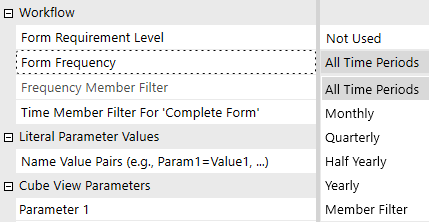
Hello everyone, Thanks to this discussion: https://community.onestreamsoftware.com/discussions/WorkflowDI/forms-by-entity/13417 I can now show or hide the input cube views based on whether or not the group entity has been released, as stored in Entity Text6. However, by doing this, I lose the ability to display cube views only for the quarter, half-year or full year. Currently, I display the cube views every month if the entity is present in the group, so this does not apply to cube views that should be displayed quarterly. I would therefore like to retrieve the name of the form displaying each data entry cube view, so that I can define in the Business Rules whether each form should be displayed monthly, quarterly, half-yearly or only in December. This would allow me to use the settings provided natively by OneStream, which I have previously bypassed. But I am unable to do so. Is this feasible? The ultimate aim is to prevent accidental data entry into workflows that should no longer be populated. I have already removed accountants’ access to the workflow for entities that have left the group, but the central team still has access, and I would like to prevent them from accidentally entering data for periods when the entity has left the group. Thank you for your helpSolved96Views0likes3Comments
Alternate Entity hierarchies unbalanced
hello Team, good day; we have 4 alternate hierarchies for Entity dimension, the Application is for Consolidation, BS & IC, having the Balance sheet accounts balancing the amounts, the main hierarcy is balanced (means 0 asset, liability & equity), for all the rest aer unbalanced and the reazon could be the elimination accounts because these are not summing properly to 1st and 2nd level, (main parent and ancestor). the consolidation rule is custom and runing, maybe the conso properties are bad. Does anyone knows how to solve the unbalancing for all the Entity hierarchies? thakns in advance and Kind Regards49Views0likes0CommentsHow can I use a Business Rule to sort a Member List in alphabetical order?
Namespace OneStream.BusinessRule.Finance.XFR_MemberListAlphabetical Public Class MainClass '--------------------------------------------------------------------------------------------------- 'Reference Code: XFR_MemberListAlphabetical ' 'Description: Use a business rule to sort a member list in Alphabetical order ' 'Usage: This will put a member list of a dimension in Alphabetical order. ' Use the following on the cube view: ' E#Member.[Name of Business Rule, Name of List in Business Rule] ' e.g. E#Root.[XFR_MemberListAlphabetical, EntityAlphabetical] ' 'Created By: Robert Powers (put in XF Ref by John Von Allmen) ' 'Date Created: 5-24-2013 '--------------------------------------------------------------------------------------------------- Public Function Main(ByVal si As SessionInfo, ByVal globals As BRGlobals, _ ByVal api As FinanceRulesApi, ByVal args As FinanceRulesArgs) As Object Try 'This will put a member list of a dimension in Alphabetical order. 'Use the following on the cube view: ' E#Member.[Name of Business Rule, Name of List in Business Rule] ' e.g. E#Root.[XFR_MemberListAlphabetical, EntityAlphabetical] Dim Memberlistname As String = "Ent_Sort" Dim MemberListstart As String = "E#[Total GolfStream].base" Select Case api.FunctionType Case Is = FinanceFunctionType.MemberList If args.MemberListArgs.MemberListName = Memberlistname Then Dim objMemberListHeader = New MemberListHeader( _ args.MemberListArgs.MemberListName) 'Read the members Dim objMemberInfos As List(Of MemberInfo) = api.Members.GetMembersUsingFilter( _ args.MemberListArgs.DimPk, MemberListstart, Nothing) 'Sort the members Dim objMembers As List(Of Member) = Nothing If Not objMemberInfos Is Nothing Then objMembers = (From memberInfo In objMemberInfos _ Order By memberInfo.Member.Name Ascending _ Select memberInfo.Member).ToList() End If 'Return Return New MemberList(objMemberListHeader, objMembers) End If End Select Return Nothing Catch ex As Exception Throw ErrorHandler.LogWrite(si, New XFException(si, ex)) End Try End Function End Class End NamespaceSolved19KViews6likes30Comments