Recent Blogs
Workforce Planning Express PV920-SV100 is Live on Solution Exchange!
1 MIN READ The Express Development team is excited to share that Workforce Planning Express (PV920-SV100) was released on March 17! What is Workforce Planning Express? It’s a packaged solution designed to help organizations plan and manage their workforce more easily. It includes leading-practice designs and ready-made configurations so teams can get started quickly. With this solution, you can: Plan position adjustments such as hiring, transfers, and terminations. Manage headcount across the organization. Monitor compensation, benefits, and other workforce-related costs over time. Want to learn more? Read: Review of the release notes and product documentation on the Solution Exchange. If you’re working with customers or prospects Here are a few ways you can guide them to get started: Access the Solution: Workforce Planning Express is available for download on the Solution Exchange. Training Opportunities: End-user training will be available on Navigator in mid-April 2026. Have feedback? If you have feedback or receive it from customers or prospects, please share it with the team via this link so we can continue improving the solution.23Views0likes0Comments
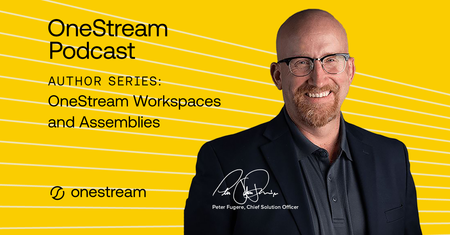
The OneStream Podcast: Author Series - OneStream Workspaces and Assemblies available now!
1 MIN READ On this episode of The OneStream Podcast, Peter Fugere is joined by Jessica Toner and Eric Telhiard to discuss their new book ‘OneStream Workspaces and Assemblies’ and how these evolutions in architecture are reshaping the development workflow and creating new opportunities to optimize user experiences and system efficiencies.10Views0likes0CommentsKnown Issue Report & Workaround for Community Pages Not Loading
1 MIN READ The OneStream Community team is aware of an issue that impacts the usage of the IdeaStream and User Groups for all OneStream Community members. We are working closely with our platform vendor to publish a patch to resolve these issues. Please read on for further details. Who is impacted? This issue impacts all signed in OneStream Community members that are attempting to 1) Access any space or post within the IdeaStream, and 2) Post a new discussion within a User Group. What is impacted? IdeaStream and User Groups. How is it impacted? Members who attempt to access a category or post within the IdeaStream or attempt to post a new discussion within a User Group will notice that the URL displayed in their browser will change, but the page will not proceed to the URL listed in the browser. Workaround Click the intended link or button, and then click refresh on your browser to display the desired page. This will load the page as expected. Status Our platform vendor is aware of the issue and we have been placed in a queue to receive a patch to the OneStream Community to resolve this issue. We are aware of this issue and apologize for the disruption. Please check back here for updates to this known issue. Thank you for your patience and understanding.45Views0likes0Comments
Build High-Impact Dashboards in OneStream: From Data to Decision
3 MIN READ In OneStream, dashboards are where data becomes actionable insight. Whether supporting executives, enabling administrators, or guiding end users through intuitive landing pages, effective dashboard design is a critical capability for any OneStream professional. For those working with cube data, dashboard components, or application navigation, the OneStream Essentials: Building Dashboards course is designed to help you move faster—and build with confidence. Why Building Dashboards in OneStream Matters Dashboards sit at the intersection of reporting, usability, and performance management. When designed effectively, they enable users to quickly analyze information, navigate applications, and make informed decisions. When not, they create confusion, reduce trust, and increase maintenance effort. In practice, OneStream dashboard builders are responsible for: Creating executive dashboards that highlight key financial and operational metrics Maintaining administrator dashboards that support application performance and governance Designing landing pages that guide users to the right content and workflows Troubleshooting and evolving dashboards as applications and metadata change The challenge is that dashboard development requires more than technical navigation—it demands a clear understanding of structure, data relationships, and deployment best practices. As one instructor explains: “Building dashboards in OneStream isn’t just about visuals—it’s about helping users truly understand their data and make confident decisions. When dashboards are done well, they transform complexity into clarity and empower teams to take action with purpose.” Stephen Roberts, OneStream Authorized Trainer What You’ll Learn in the Building Dashboards Course The Building Dashboards course is a hands-on learning experience built around real OneStream use cases. It is designed for professionals who need to create, enhance, or maintain dashboards within the platform. Key topics include: Interpreting the structure and data behind existing dashboards Maintaining dashboards as applications and metadata evolve Building executive dashboards directly from cube data Recreating and optimizing administrator dashboard functionality Designing intuitive landing pages for end users Troubleshooting common issues before they impact users By the end of the course, participants can confidently design dashboards that are scalable, maintainable, and aligned with business needs. Who Should Attend? This course is ideal for professionals who: Build or maintain dashboards in OneStream Support executives, finance teams, or end users with reporting Serve as OneStream administrators or power users Want a strong foundation before advancing to more complex dashboard design It is also a recommended step in the broader OneStream learning path for administrators and power users. Instructor-Led Building Dashboards: Upcoming Virtual Classes For those who prefer guided instruction, live demonstrations, and hands-on labs, instructor-led sessions provide an opportunity to build skills quickly and ask real-world questions. Building Dashboards — Virtual (Central Time) Date: May 12–13, 2026 Format: Instructor-Led, Virtual Building Dashboards — Virtual (Central European Time) Date: May 27–29, 2026 Format: Instructor-Led, Virtual Building Dashboards — Virtual (Central European Time) Date: June 9–11, 2026 Format: Instructor-Led, Virtual Each session delivers the same comprehensive curriculum in an interactive format, allowing participants to immediately apply concepts through guided exercises. Take the Next Step in Your OneStream Dashboard Skills If you are responsible for dashboard design, deployment, or maintenance, investing in the right training delivers immediate impact—better dashboards, fewer support issues, and more confident users. To register, log in through Okta, access Navigator, and enroll in an upcoming Building Dashboards instructor-led course. Start building dashboards that don’t just display data—but drive decisions.81Views0likes0CommentsTech Talks: C# and VB.Net. - a Side-by-Side Comparison registration now open!
1 MIN READ Registration is now open for the March live edition of Tech Talks. Tom Linton and Matt Kerslake welcome back Sam Eburn with Marcio Pataca to explore rule writing and, in particular, the sibling rivalry between C# and VB.Net! Tech Talks: Playing with (and by) the Rules - C# and VB.Net. - a Side-by-Side Comparison93Views1like0Comments